You Don't Need an Enterprise SAST Budget to See Your Codebase's Health
SonarQube's free tier caps out at 50k lines of code and five users. Here is what jsdoc-scribe's optional --quality dashboard covers instead, what it deliberately doesn't try to replace, and where the honest line between the two sits.
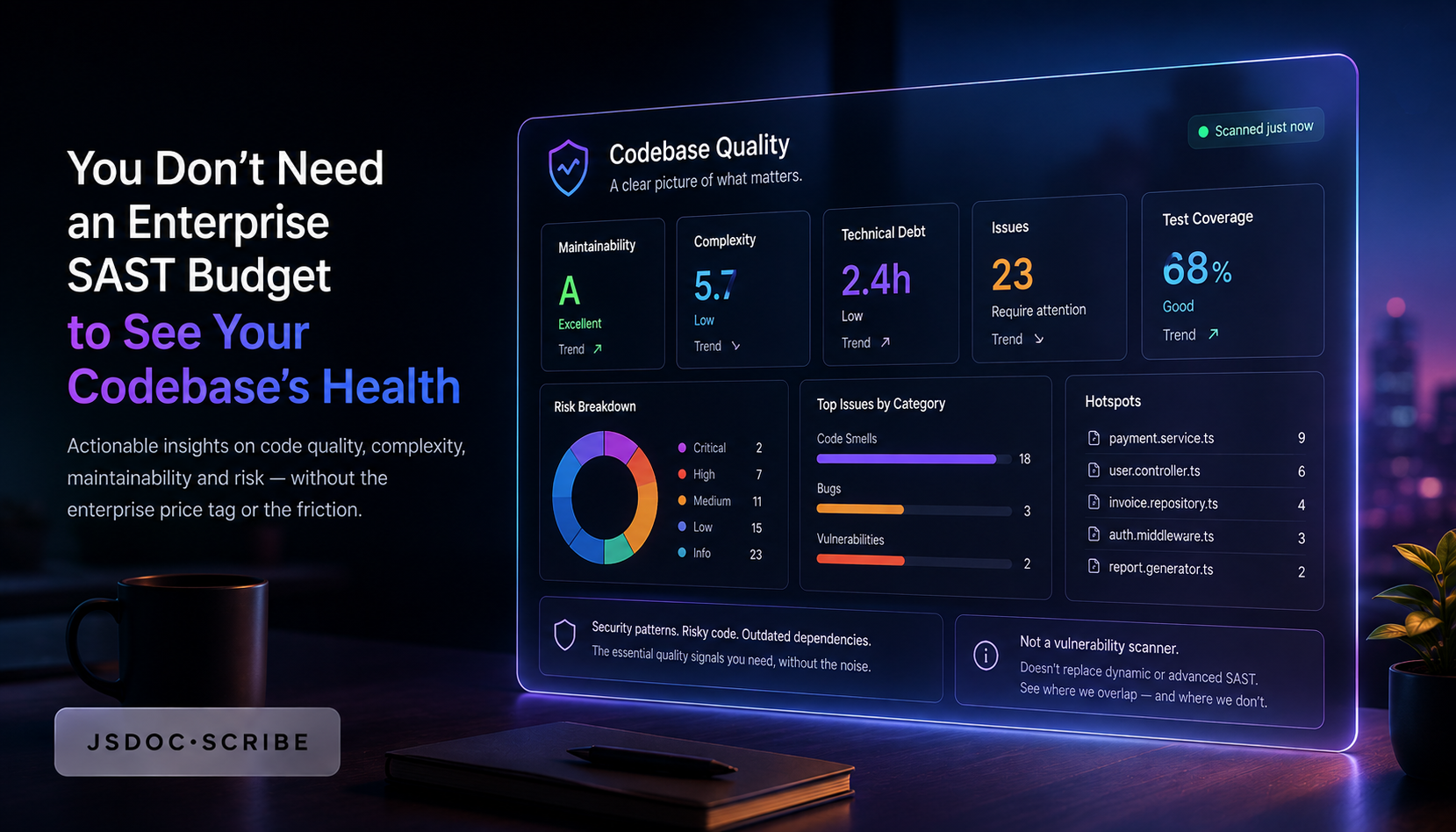
Ask a small engineering team what they use to track code quality and the honest answer, most of the time, is "nothing formal — we just review PRs carefully." SonarQube is the name everyone knows, and for good reason: it's the default answer to "how do we measure code quality" across most of the industry. It's also priced and scoped for teams bigger than the ones asking the question.
This isn't a takedown of SonarQube — it does things jsdoc-scribe's dashboard makes no attempt to do, and that gap matters. This is a straight look at what each actually covers, so a small team can pick the right tool instead of the default one.
What SonarQube's free tier actually gives you
Per Sonar's own pricing documentation and recent third-party breakdowns of it, SonarQube Community Edition is free, and SonarQube for fully open-source projects is free without the caveats below. But the free tier for private codebases comes with real limits: a 50,000 line-of-code cap, a five-user cap, and — the part that surprises teams after they've already onboarded — no branch analysis and no pull-request decoration. That second limitation is the one that stings in practice: without PR decoration, the tool can't leave inline findings on a pull request, which is the workflow most teams actually want a code-quality tool for in the first place. Community Edition also runs on community-forum support only; there's no direct vendor support channel.
Once a team outgrows any of those caps, the pricing steps up quickly. The Developer Edition — the tier that actually restores branch analysis and PR decoration — runs roughly $2,500 to $13,000 a year, scaled to codebase size. SonarQube's cloud-hosted Team plan starts lower, around $32/month, with unlimited users and PR-level features included, but that's still a recurring line item a five-person side project or a pre-seed startup often can't justify next to infrastructure and payroll.
None of this makes SonarQube a bad product — it's a genuinely capable static analysis and security-scanning platform, and for a team that needs taint analysis, vulnerability scanning across dozens of languages, and enterprise governance, it's the right category of tool. The question is whether every team needs that category of tool on day one, or whether a lighter, free layer covers the actual day-to-day question most small teams are really asking: is this codebase getting healthier or worse over time.
What jsdoc-scribe's --quality flag covers instead
Pass --quality to gen-docs and the documentation site you're already generating gains a full Code Health dashboard, built on code-multivitals as an optional peer dependency — never installed unless you ask for it, and gen-docs behaves identically whether it's present or not. What you get:
- A health score for the project as a whole, rolled up from the signals below
- Maintainability and complexity metrics per module
- Duplicate-code detection, surfaced at the file level
- Orphan-file reporting — code that exists but is never imported or referenced anywhere else
- A per-file health strip on every module's documentation page, so the quality signal sits right next to the code it's describing
- A per-function/method drill-down, so a specific hotspot is one click from the module-level summary, not a separate report to cross-reference
There's no LOC cap, no user cap, and no separate server to stand up, license, or maintain — it's generated as part of the same gen-docs run that's already producing the documentation site, using the same AST-based, 100% local analysis the rest of the tool runs on. No network calls, no account, no seat count to negotiate.
The honest line between the two
Being direct about the gap: code-multivitals is not a security scanner. It doesn't do taint analysis, doesn't check for injection vulnerabilities or hardcoded secrets, and doesn't cover the dozens of languages SonarQube supports — it's scoped to JavaScript and TypeScript, matching jsdoc-scribe itself. If SAST, compliance reporting, or multi-language coverage is the actual requirement, SonarQube (or a dedicated SAST tool) is doing a job this dashboard was never built to do, and no amount of comparison changes that.
What it's built for is the narrower, more common question a small team actually has day to day: which modules are getting harder to maintain, where is complexity concentrating, is anything duplicated that shouldn't be, and is any code sitting there unreferenced and safe to delete. That's a maintainability lens, not a security lens — and for a huge share of small teams, maintainability is the thing nobody's tracking at all, paid or free.
Where this actually fits for a small team
A reasonable default for a team under, say, 20 engineers and without a dedicated security function yet: run --quality from day one — it costs nothing and it's already part of a build step most teams add anyway for the documentation site itself — and revisit SonarQube (or an equivalent SAST tool) specifically once compliance, multi-language coverage, or a formal security review becomes a real requirement, not before. That's not a permanent choice; it's a sequencing decision that matches spend to actual need instead of defaulting to the tool everyone's heard of.
Bottom line
SonarQube's free tier works until a project crosses 50k lines or a team crosses five people, and even inside those limits it's missing the PR-decoration workflow most teams actually want. jsdoc-scribe's --quality dashboard doesn't compete with SonarQube's security-scanning depth and isn't trying to — it covers the maintainability question a small team asks far more often, for free, with no cap, as a byproduct of documentation you're already generating.
npx jsdoc-scribe . --write            # try it once, no install
npm install --save-dev jsdoc-scribe   # add it to the project
Full docs at imchintoo.github.io/jsdoc-scribe, package on npm as jsdoc-scribe, source at github.com/imchintoo/jsdoc-scribe.