Docs Site Live in Under 10 Minutes: The GitHub Actions + Pages Recipe We Actually Run
A copy-pasteable GitHub Actions workflow for publishing a jsdoc-scribe documentation site to GitHub Pages on every push to main, taken directly from this project's own CI.
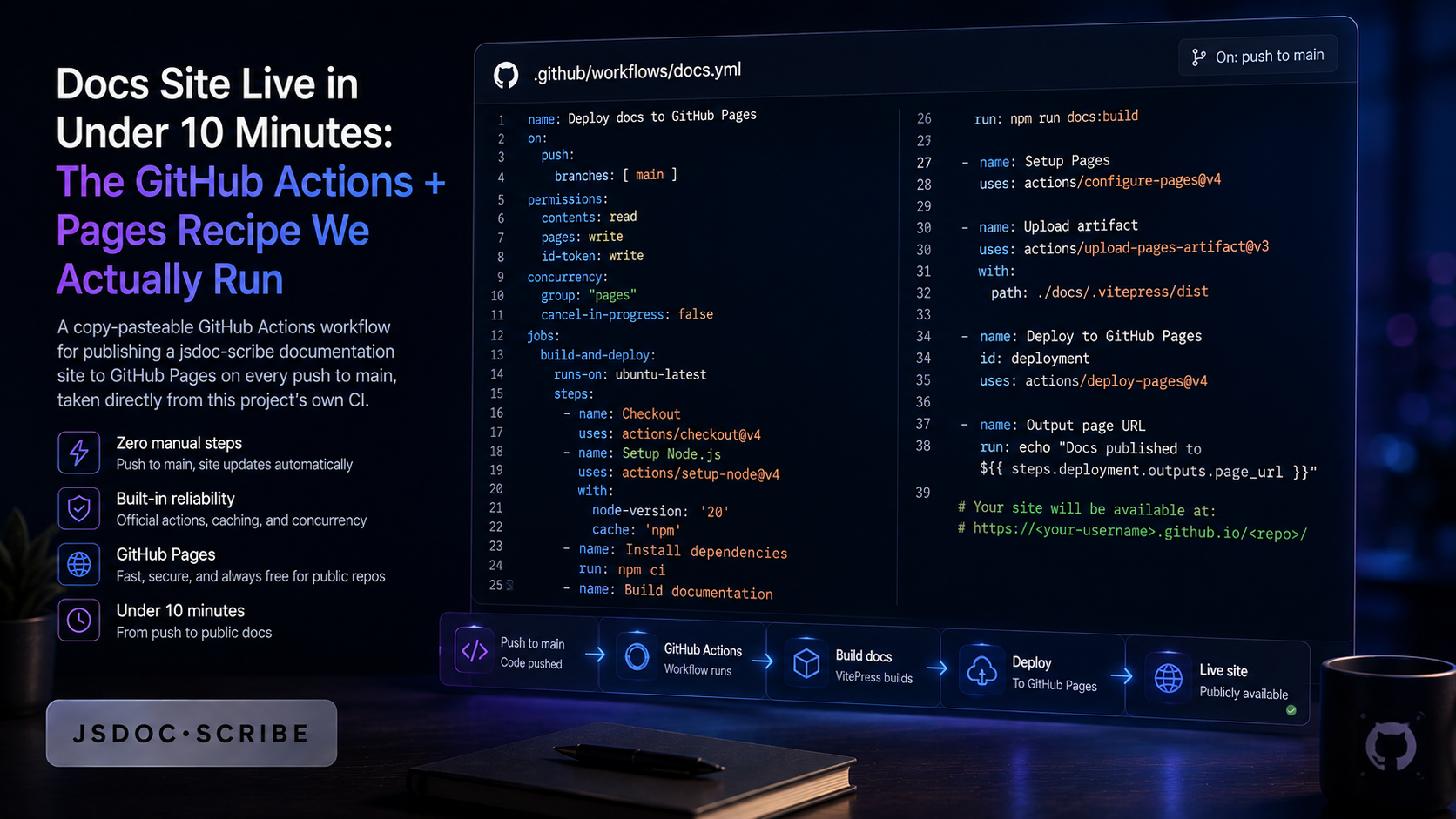
Every post on this blog so far has made the case for why to generate documentation from your code instead of writing it by hand. None of them have shown the last step: getting that generated site live at a public URL, updated automatically, without anyone remembering to run a command. That's the gap this post closes, and it's overdue — a docs generator that only produces local HTML files nobody deploys isn't actually solving the problem.
This isn't a hypothetical recipe. It's the exact workflow this project runs on every push to main, pulled straight from .github/workflows/docs.yml in the jsdoc-scribe repo. Copy it, swap the generation command for your own project's, and you have a live docs site in the time it takes to read this post.
Why this is worth automating, not just documenting once
The 2026 shift in developer onboarding is well underway: platform engineering research this year describes a move from documentation-driven onboarding — a wiki page someone points a new hire at — to platform-driven onboarding, where a self-service software catalog answers "where is everything?" without a human guide involved at all. Roughly 55% of organizations report having adopted platform engineering already, and 90% of those plan to expand it.
A generated, always-current documentation site is exactly the kind of data source that pattern needs. But "exactly the kind of data source" only matters if it's actually reachable at a URL, kept current automatically, and doesn't depend on someone's local machine. That's a CI problem, not a documentation-generator problem — which is why this post is entirely about the CI half.
Step 1 — turn on GitHub Actions as your Pages source
Before writing any workflow, GitHub needs to know it should expect a Pages deployment from a workflow run rather than from a branch. In your repo: Settings → Pages → Build and deployment → Source, and select GitHub Actions. This is a one-time setting per repo. Skip it and the workflow below will build correctly but fail on the deploy step with a permissions error that has nothing to do with your YAML.
Step 2 — the workflow file
Here's the complete, currently-running workflow this project uses, unedited:
name: Deploy Docs to GitHub Pages

on:
  push:
    branches: [main]
  workflow_dispatch:        # allow manual trigger from Actions tab

permissions:
  contents: read
  pages: write
  id-token: write

# Only one deployment at a time; cancel in-progress if a new push lands
concurrency:
  group: pages
  cancel-in-progress: true

jobs:
  build:
    runs-on: ubuntu-latest
    steps:
      - name: Checkout
        uses: actions/checkout@v4

      - name: Set up Node
        uses: actions/setup-node@v4
        with:
          node-version: 24
          cache: npm

      - name: Install dependencies
        run: npm ci

      - name: Generate docs
        run: npm run docs:pages

      - name: Upload Pages artifact
        uses: actions/upload-pages-artifact@v3
        with:
          path: _site

  deploy:
    needs: build
    runs-on: ubuntu-latest
    environment:
      name: github-pages
      url: ${{ steps.deployment.outputs.page_url }}
    steps:
      - name: Deploy to GitHub Pages
        id: deployment
        uses: actions/deploy-pages@v4
A few details worth understanding rather than just pasting:
The permissions block is not boilerplate you can trim. pages: write and id-token: write are both required for actions/deploy-pages to publish anything — the id-token permission is what lets the action authenticate to Pages without a stored secret. contents: read is enough for the checkout step; there's no reason to grant contents: write here, and doing so is an unnecessary privilege escalation for a workflow that never pushes back to the repo.
The concurrency block prevents a specific, annoying failure mode. Without it, two pushes to main in quick succession can trigger two overlapping deploys, and the slower one can finish last and overwrite the newer content with stale output. cancel-in-progress: true means the newest push always wins.
build and deploy are separate jobs on purpose. The build job produces an artifact and hands it off; the deploy job only has permission to touch Pages, not to run arbitrary generation code. It's a smaller blast radius if a dependency in the generation step is ever compromised — the job that has write access to your live site does nothing but upload a pre-built artifact.
Step 3 — the actual generation command
The line that matters most for adapting this to your own project is npm run docs:pages. For a project not already set up with a custom build script, the direct equivalent is:
npx gen-docs src --out _site --title "My Project"Point actions/upload-pages-artifact at whatever directory that command writes to (path: _site above, or path: docs if you used --out docs) and the rest of the workflow doesn't change. Add --quality if you want the generated site's index page to become a full code-health dashboard instead of a plain landing page — that flag alone is the difference between a docs site and a docs site with a maintainability score attached.
Step 4 — don't stop at deploy; gate merges on drift too
A docs site that deploys automatically is only half the problem solved. The other half is making sure what gets deployed stays accurate between deploys — which is a separate, smaller workflow, run on pull requests rather than on push to main:
on:
  pull_request:
jobs:
  check-drift:
    runs-on: ubuntu-latest
    steps:
      - uses: actions/checkout@v4
      - uses: actions/setup-node@v4
        with: { node-version: 24 }
      - run: npm ci
      - run: npx gen-comments src --check-drift
--check-drift exits non-zero the moment a function's actual signature no longer matches its existing JSDoc block — a renamed parameter, a changed return type, a new argument nobody documented. Wire that as a required status check on main and stale documentation stops being possible to merge in the first place, rather than something someone notices later.
Common gotchas
The deploy step failing with a 404 or permissions error almost always traces back to Step 1 — the Pages source setting wasn't switched to "GitHub Actions," so the deploy action has nowhere valid to publish to. A workflow that builds successfully but never triggers usually means the on: push: branches: list doesn't match your actual default branch name. And if upload-pages-artifact complains about an empty or missing path, check that your generation command's --out flag matches the path: value in the upload step exactly — a typo here is silent until the upload step runs.
Bottom line
Generating accurate documentation from your code's AST solves the "is this documentation true" problem. It doesn't automatically solve the "can anyone actually reach it" problem — that's a five-file CI workflow, not a product feature, and most teams that have jsdoc-scribe generating docs locally still haven't taken this last step. If you're one of them, the workflow above is not a starting point to adapt cautiously — it's the literal file running in production for this project today. Copy it, change one line, and your docs site outlives whoever's laptop it used to live on.
npx jsdoc-scribe . --write            # try it once, no install
npm install --save-dev jsdoc-scribe   # add it to the project
Full docs, including the dedicated GitHub Pages guide, live at imchintoo.github.io/jsdoc-scribe. Package on npm as jsdoc-scribe, source at github.com/imchintoo/jsdoc-scribe.